

07 Mar Protecting School Chromebooks: How to Prevent Screen Damage and Reduce Repair Costs
Chromebook screen damage is one of the most common and costly issues schools face when deploying student devices. Whether it’s from accidental drops, pressure inside a backpack, or rough handling, a cracked or broken screen can disrupt learning and quickly drain a district’s tech budget. Fortunately, schools can take proactive steps to prevent Chromebook screen damage and extend the life of their devices.
Why Are Chromebook Screens So Vulnerable?
Unlike traditional laptops, Chromebooks used in schools are often thin and lightweight, making them more susceptible to pressure cracks, drops, and impact damage. Some common causes of broken screens include:
- Backpack Pressure – Students often store Chromebooks in backpacks filled with books, leading to screen cracks from excessive pressure.
- Drops and Accidental Falls – A quick slip off a desk or an unzipped case can mean a shattered screen.
- Closing with Items Inside – Pens, earbuds, and even small objects can be left on the keyboard, causing screens to crack when closed.
- Stacking and Weight Issues – Stacking devices in carts or carrying multiple laptops can lead to damaged screens over time.
How Schools Can Prevent Chromebook Screen Damage
💡 1. Use Rugged, Always-On Cases
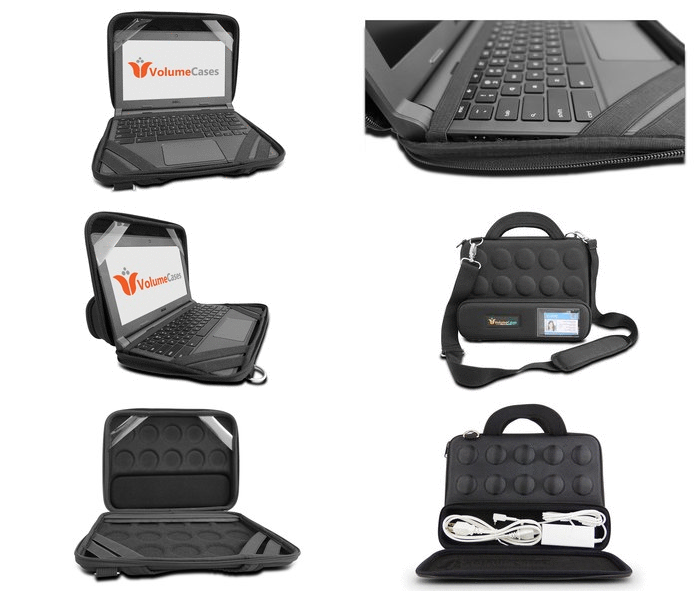
One of the most effective ways to prevent Chromebook screen damage is by using a durable, always-on case that provides 24/7 protection. Cases like the V-Shell™ and Folder™ case from VolumeCases offer:
✔ Shock-Absorbing Protection – Shields against drops, bumps, and impacts.
✔ Pressure Resistance – Helps prevent screen cracks from backpack pressure.
✔ Cart-Friendly Designs – Slim profiles that fit easily in charging carts without bulk.
💡 2. Implement Proper Storage Solutions
Encouraging students to store Chromebooks properly can significantly reduce screen damage. Schools should:
✔ Train students to avoid stacking devices on top of each other.
✔ Use cart-friendly cases that provide extra padding and airflow to keep Chromebooks safe while charging.
✔ Ensure students don’t carry multiple laptops at once, reducing the chance of drops.
💡 3. Educate Students on Chromebook Care
Teaching students proper Chromebook handling habits is key to minimizing repair costs. Some best practices include:
✔ Always closing the lid before carrying the device.
✔ Keeping Chromebooks in protective cases when not in use.
✔ Never placing heavy objects on top of a Chromebook.
✔ Ensuring nothing is left on the keyboard before closing the device.
Reduce Repairs and Save Money with the Right Protection
Chromebook repairs can quickly add up, cutting into valuable school budgets. Investing in high-quality, rugged cases can extend the lifespan of devices, lower repair costs, and keep students learning without interruption.
Schools can request a free sample to experience firsthand how VolumeCases’ protective solutions help prevent screen damage.
📢 Protect your school’s Chromebooks today!
🔗 Request a free sample: https://www.volumecases.com/sample-request
Sorry, the comment form is closed at this time.